LMC 8.4 Supported Phones (Brand-by-Brand Guide)
Which package and config to use for your phone
LMC 8.4 runs on hundreds of Android phones, but each brand needs a slightly different setup. Find your brand below to see the best package, which models have configs and what to do if a lens or mode does not work.
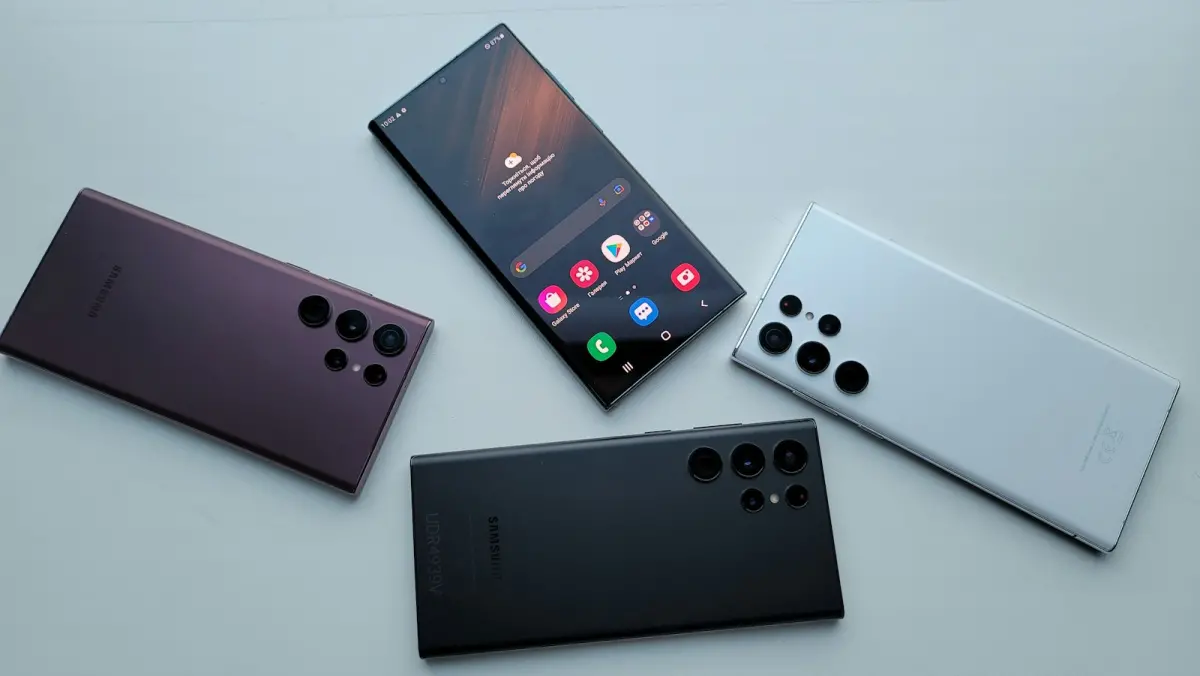
Table of Contents
Supported Devices
LMC 8.4 works on most Android phones with Android 10+ and Camera2 API enabled.
How to Check If Your Phone Is Supported
- Install the free app "Camera2 API Probe" from the Play Store (full Camera2 guide).
- Look at "Hardware Support Level" for camera 0 (your main camera).
- LEVEL_3 or FULL: LMC 8.4 should work with all main features. LIMITED: it may work, but some modes can crash. LEGACY: LMC 8.4 will likely not work properly.
LMC 8.4 for Samsung Galaxy
Full guide: LMC 8.4 for Samsung.
Samsung phones are well supported since R15 added Exynos support (verified on the Note 20 Ultra, S21 Ultra and S10). R15 also added Live HDR and an iris switch button for Samsung, and R17 added Samsung Metering Mode.
- Best package: default first; if the ultra-wide or telephoto is missing, use Scan3D or Iris (R18), or Ruler (R15/R16).
- Configs available: Galaxy A71, A73, M51, Note 10 Plus, S20 FE, S20 Ultra (Exynos), S21 Ultra, S22 series, S23 series, S24 / S24+ and S25 / S25+.
- Tip: Galaxy A-series phones with MediaTek or entry Exynos chips may need HDR+ instead of HDR+ Enhanced.

LMC 8.4 for Xiaomi, Redmi and Poco
Full guide: LMC 8.4 for Redmi, Xiaomi and Poco.
Xiaomi phones have the biggest collection of LMC 8.4 configs. Most Snapdragon Redmi and Poco models open all lenses with the default package.
- Best package: default.
- Configs available: Redmi Note 7 Pro, Note 8 / 8 Pro, Note 9 series, Note 10 / 10 Pro, Note 12 4G / 12 Pro, Note 13 4G / 13 Pro 5G, Redmi 9, 12, 13C, Poco F1 to F6, Poco X3 to X6, Xiaomi 12 series and Mi 11 series.
- Tip: Redmi phones with MediaTek chips (for example some Redmi 9 and 13C models) may need a config labelled for that exact model.
LMC 8.4 for Realme and Oppo
Full guide: LMC 8.4 for Realme, Oppo and Vivo.
Realme and Oppo (ColorOS) often block extra lenses for unknown camera apps. The Aweme package was made for some Realme, Oppo and OnePlus phones to get around this.
- Best package: default, then Aweme.
- Configs available: Realme C25, C25s, Narzo 20, Narzo 50, 9 5G Speed, 9 5G SE, 9 Pro+, GT Neo 2, GT Neo 3T, P4, X2; Oppo A17, A60, F9, Reno6 5G.
- LMC 8.4 for Oppo tip: on Oppo A-series phones, test the default package with the Oppo A17 or A60 config first.
LMC 8.4 for Vivo and iQOO
- Best package: default.
- Configs available: Vivo Y16, Y20, Y21, T3, iQOO Z3, iQOO Z9.
- Tip: many Vivo Y models only expose the main lens; that is a phone limit, not an app bug.
LMC 8.4 for OnePlus
- Best package: Snapcam (made for Snapdragon phones such as OnePlus) or Aweme.
- Configs available: OnePlus 8 / 8T / 8 Pro, 9R, 11, 12, Open, Nord, Nord 3, Nord 5 and the Nord CE series.
LMC 8.4 for Tecno, Infinix, itel and Walton
Full guide: LMC 8.4 for Infinix and Tecno.
These brands are very popular in Bangladesh, but most of their phones use MediaTek or Unisoc chips with limited Camera2 API support.
- Try the default package. If photos fail, turn off HDR+ Enhanced and use HDR+ or Night Sight only.
- A config exists for the Tecno Camon 30. Other models need manual setup.
- If the app crashes on opening, your phone probably does not support LMC 8.4. Keep using the stock camera for those models.

Motorola, Nothing, Asus, Honor and LG
Configs are available for Motorola Edge 20, Edge 20 Pro, Edge 30 Neo, Edge 50 Neo, Edge 50 Pro, Moto G34, G52, G62, G82; Nothing Phone (2a); Asus Zenfone 9; Honor X9a; and LG Q83 5G, V50 and V60. Motorola phones usually work well with the default package.
Quick Package Guide
| Brand | First try | If lenses are missing |
|---|---|---|
| Samsung | Default | Scan3D / Iris (R18), Ruler (R15) |
| Xiaomi / Redmi / Poco | Default | Snapcam |
| Realme / Oppo | Default | Aweme |
| OnePlus | Snapcam | Aweme |
| Vivo / iQOO | Default | Snapcam |
| Motorola / Nothing | Default | Snapcam |
| Tecno / Infinix | Default | Main lens only on most models |
Download the packages from the LMC 8.4 R18 page and get configs from the config file page.

We test LMC 8.4 builds and configs on popular Android phones and check every version detail against the developer's official release pages.
Frequently Asked Questions
Find answers to common questions about LMC 8.4.
Does LMC 8.4 work on Samsung phones?
Does LMC 8.4 work on Oppo phones?
Does LMC 8.4 work on Infinix and Tecno?
Why can I only use the main camera in LMC 8.4?
Related Guides
Keep learning about LMC 8.4.
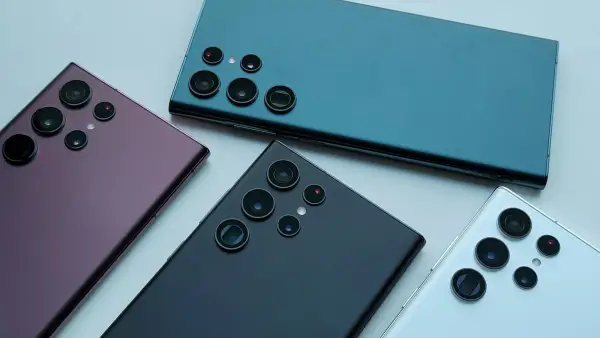
LMC 8.4 for Samsung Galaxy Phones
Install LMC 8.4 on Samsung Galaxy A, M and S phones. Which package unlocks the wide lens (Scan3D, Iris, Ruler), Samsung configs and fixes.

LMC 8.4 for Redmi, Xiaomi and Poco
Install LMC 8.4 on Redmi Note, Xiaomi and Poco phones. Supported models, ready configs, HyperOS install steps and fixes for MediaTek Redmi phones.

LMC 8.4 for Realme, Oppo and Vivo
Install LMC 8.4 on Realme, Oppo, Vivo and iQOO phones. Why the Aweme package unlocks extra lenses, which models have configs and ColorOS steps.